
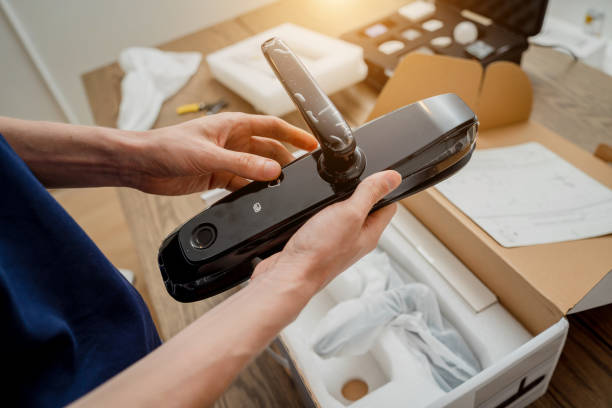
Every 8-12 months, millions of smart lock owners face the same crisis: a dead battery and no way inside. What should be a simple 5-minute battery swap becomes a $180 emergency locksmith call because most people wait until complete failure.
The thing is smart locks are excellent at warning you when batteries run low. The problem is we homeowners ignore these warnings until it’s too late.
For rental property owners, dead batteries create even bigger headaches—angry tenants calling at midnight, negative reviews, and emergency service calls that eat into profits. Whether you’re managing one property or twenty units, battery maintenance can make or break your guest experience.
This guide provides step-by-step battery replacement instructions for major fingerprint lock brands, plus proactive maintenance schedules that eliminate lockout emergencies entirely.
The Tools Needed For Fingerprint Door Lock Battery Replacement
🔧 The Tools You Actually Need
Let’s cut through the nonsense. Most tutorials will give you a laundry list of tools that makes it sound like you’re performing surgery. In reality, you need maybe three things to successfully replace your fingerprint door lock batteries. No complicated equipment, no expensive specialty tools—just the basics that probably already exist in your home.
The real preparation isn’t about tools—it’s about timing. Never, and I mean never, attempt this replacement when you’re in a hurry or when it’s your only way back inside. Murphy’s Law loves smart locks.
Know Your Enemy: Battery Types and What They Actually Mean
Here’s where things get interesting. Not all fingerprint locks are created equal, and neither are their power appetites.
AA Batteries: These are your workhorses. Locks like the Yale Assure series love these because they’re easy to find and relatively long-lasting. You’ll typically get 8-12 months out of good alkalines, longer if you spring for lithium.
9V Batteries: Usually found in older models or budget locks. They’re compact but don’t last as long—maybe 4-6 months depending on usage.
CR123A Lithium: The sports cars of the battery world. Expensive but powerful, these little cylinders can keep your lock running for over a year. August Smart Locks are big fans of these.
Here’s a pro tip I learned the expensive way: always buy lithium batteries for your smart lock, even if it “accepts” alkalines. Yes, they cost three times as much upfront, but they last twice as long and perform way better in temperature extremes. Do the math—it’s actually cheaper in the long run.
Reading the Tea Leaves: When Your Lock is Crying for Help
Smart locks are surprisingly good at telling you when they’re struggling, but most people ignore the signs until it’s too late.
The first warning usually isn’t a beep or a notification—it’s performance. Your lock starts taking an extra second to recognize your fingerprint. The LED indicators seem a bit dimmer. These subtle changes happen weeks before complete failure.
Then come the obvious signs: intermittent beeping (usually three short beeps), slower motor sounds during locking/unlocking, or your smartphone app showing “Low Battery” warnings that you’ve been dismissing for two months.
The final stage is the lock equivalent of a death rattle—rapid beeping, flashing red lights, or complete unresponsiveness. If you’ve reached this point, you’re probably reading this article while standing outside your door.
How To Perform Fingerprint Door Lock Battery Replacement (Step-by-Step)
Despite what manufacturer manuals suggest, there’s a universal approach that works for about 90% of fingerprint locks out there. I’ve used this method on everything from $50 Amazon specials to $300 premium models.
Step 1: Find the battery compartment. It’s usually on the interior side of your door, either behind a sliding panel or under a screw-on cover. Some newer models hide it behind the entire interior assembly.
Step 2: Document everything. Seriously, take photos with your phone before you remove anything. I can’t tell you how many times this has saved me from a 20-minute puzzle session trying to remember which wire went where.
Step 3: Remove the old batteries carefully. Pay attention to which direction they’re facing. There’s usually a diagram in the compartment, but it’s often worn off or poorly printed.
Step 4: Clean the contacts. This is the step everyone skips and later regrets. Use a dry cloth or even your shirt to wipe the metal contacts. Corrosion here kills more locks than old batteries do.
Step 5: Install new batteries with confidence. Press them in firmly—loose connections cause more problems than dead batteries. The lock should give you some indication it’s happy (usually a green light or successful beep sequence).
Step 6: Test before reassembling. Try a fingerprint unlock, then a lock/unlock cycle. If something’s wrong, it’s easier to fix now than after you’ve screwed everything back together.
However, if you’re curious about the complete Biometric Door Lock Installation Cost you can go read this article.
Brand-Specific Quirks (Because Nothing’s Ever Simple)
Every manufacturer has their little personality traits, and knowing these can save you serious frustration. Here’s what I’ve learned from my own experience and from friends who have different brands:
Yale Assure series: The battery compartment is on the bottom of the interior unit. You’ll need to remove the entire interior assembly by lifting it straight up after removing one screw. It feels wrong, but trust the process.
August Smart Locks: These use those CR123A batteries I mentioned, and they’re accessed by removing the back plate. There’s a small tab you press while sliding the cover off. The trick is pressing the tab and sliding simultaneously—it’s not intuitive.
Schlage Encode: The batteries are accessed from outside, which is convenient until you realize you need the lock to be unlocked to access them. Plan accordingly.
Kwikset Halo: Four AA batteries stacked in a somewhat awkward configuration. The top two batteries are easy, but the bottom ones require removing a small plastic spacer first.
The Art of Battery Longevity
The best battery replacement is the one you never have to do. Here’s how to maximize battery life without becoming obsessive about it.
Temperature is your biggest enemy. If your lock faces west and gets afternoon sun, those batteries are working overtime. Similarly, locks exposed to freezing temperatures drain faster. There’s not much you can do about weather, but awareness helps set expectations.
Usage patterns matter more than you’d think. A lock that gets used 20 times a day will obviously drain faster than one used twice daily, but it’s not linear. The motor that moves the deadbolt is the biggest power draw, so frequent family members unlocking and immediately re-locking (looking at you, teenagers) can significantly impact battery life.
Here’s something most people don’t know: many smart locks have power-saving modes that you can enable through their apps. These might slightly slow response times but can extend battery life by 30-40%. It’s usually worth the trade-off.
When Things Go Wrong
Even with perfect execution, sometimes the lock doesn’t cooperate after a battery change. Here are the most common issues and their surprisingly simple solutions.
1. Lock doesn’t respond after new batteries: Double-check polarity first, then try a hard reset. Most locks have a reset button hidden somewhere—consult your manual or the manufacturer’s website.
2. Fingerprints not recognized: This is usually a calibration issue. Many locks require you to re-scan fingerprints after a complete power loss. It’s annoying but only takes a few minutes.
3. Motor sounds weak or slow: You might have gotten a bad battery, or there’s corrosion you missed. Clean the contacts again and try a different battery if you have one.
4. Lock works but app doesn’t connect: This is typically a WiFi or Bluetooth pairing issue, not battery-related. Try re-pairing the lock with your phone.
The Economics of Smart Lock Batteries
Let’s talk money for a minute. Quality batteries cost more upfront but save money and frustration long-term. I buy Energizer Ultimate Lithium batteries in bulk from Costco—they’re about $1.50 per battery but last twice as long as alkalines that cost $0.50 each.
If you’re using rechargeable batteries, stick to name brands like Eneloop or Duracell. Cheap rechargeables have inconsistent voltage output that can confuse your lock’s electronics.
Some people ask about using external battery packs or hardwiring their locks. While possible, it usually voids your warranty and creates more problems than it solves. The convenience factor that makes smart locks appealing in the first place disappears when you have wires running through your door frame.
Fingerprint Lock Maintenance Schedule After Battery Replacement
Set a phone reminder for every six months: “Check smart lock battery.” You don’t need to replace it, just check the app or do a quick performance test. If response times are getting sluggish, swap the batteries even if they’re not completely dead.
Keep spare batteries in a drawer near your front door, not in the garage or basement. When the lock starts complaining, you want to fix it immediately, not hunt for batteries.
Most importantly, update your lock’s firmware when prompted. These updates often include battery optimization improvements that can significantly extend life.
The goal isn’t to become a smart lock maintenance expert—it’s to set up simple systems that prevent problems before they lock you out of your own home. A little prevention beats a lot of cure, especially when that cure involves a locksmith’s emergency fee or a very awkward call to your neighbor.
Trust me, your future self (standing comfortably inside your home) will thank you for the preparation.